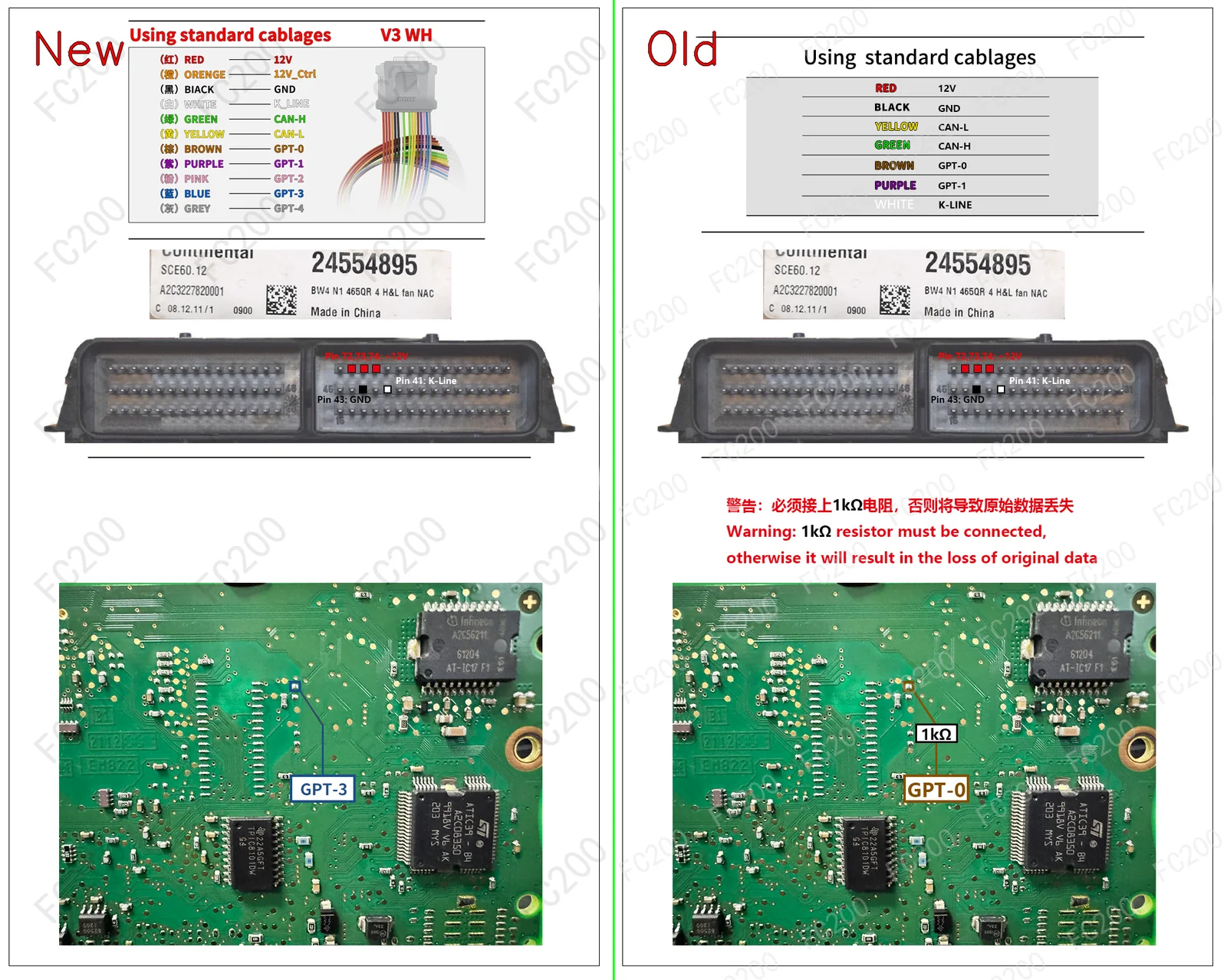
OFFICIAL PINOUT DIAGRAM: CONTINENTAL SCE60.png (Platform / Bench)2,906,234 bytes
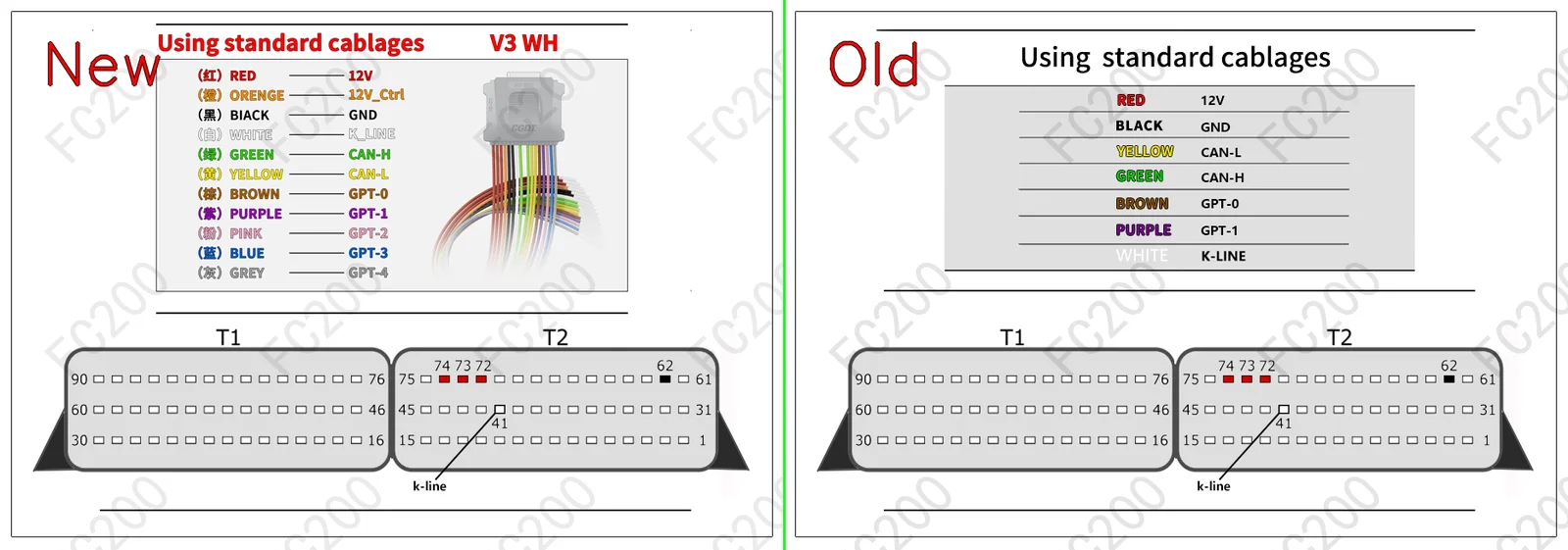
OFFICIAL PINOUT DIAGRAM: KLINE_CONTINENTAL SCE60 ST10C167.png (Platform / Bench)450,854 bytes
STEP-BY-STEP BENCH CONNECTION PROCEDURE (HOWTO PROTOCOL)BENCH / BOOT
- Step 1 (Terminal 30 & Terminal 15 Power): Apply regulated bench power
13.5V — 13.8Vto constant battery (T30), switched ignition (T15), and ground (GND) pins according to the harness color code above. - Step 2 (CAN Bus & GPT0 / GPT1 Signals): Connect
CAN-H&CAN-L, along with signal leadsGPT0 (S1)&GPT1 (S2)to enter bench service mode without opening the ECU housing. - Step 3 (Full PFLASH + DFLASH Backup Read): Before writing any calibration, read and archive a full backup of internal Program Flash (
PFLASH) and Data Flash / EEPROM (DFLASH).
VEHICLES EQUIPPED WITH ECU SCE60 (8)VEHICLE COMPATIBILITY