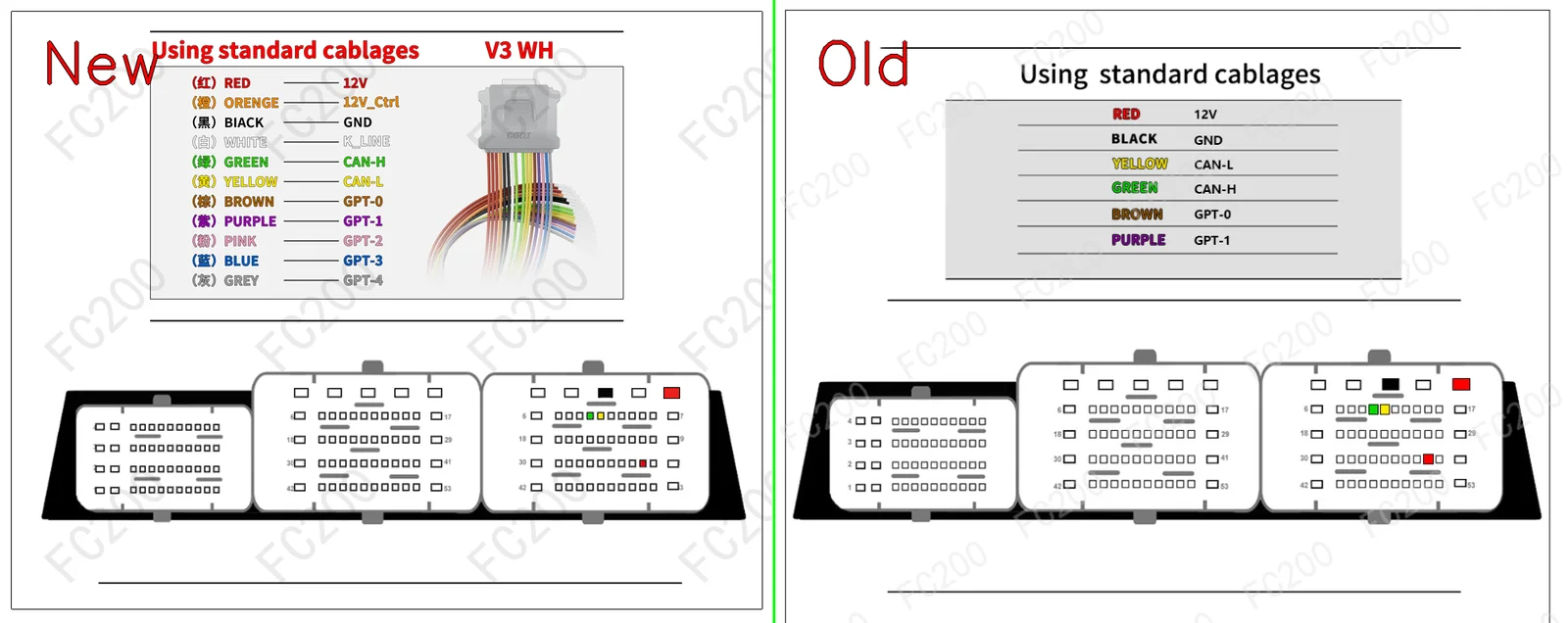
OFFICIAL PINOUT DIAGRAM: CONTINENTAL SID209.png (Platform / Bench)578,893 bytes
OFFICIAL PINOUT DIAGRAM: SID209_BOOT.png (Boot)2,174,089 bytes
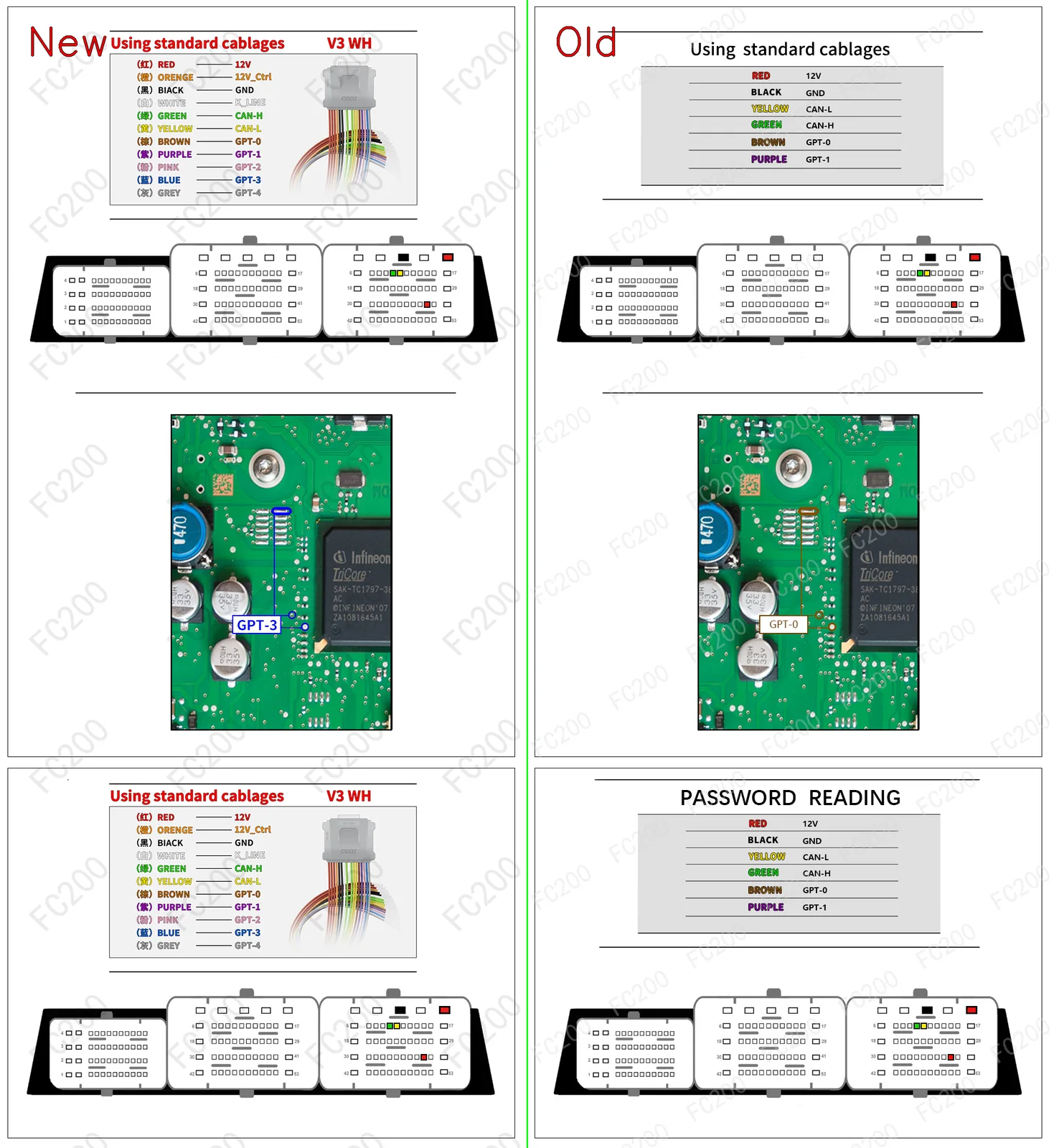
STEP-BY-STEP BENCH CONNECTION PROCEDURE (HOWTO PROTOCOL)BENCH / BOOT
- Step 1 (Terminal 30 & Terminal 15 Power): Apply regulated bench power
13.5V — 13.8Vto constant battery (T30), switched ignition (T15), and ground (GND) pins according to the harness color code above. - Step 2 (CAN Bus & GPT0 / GPT1 Signals): Connect
CAN-H&CAN-L, along with signal leadsGPT0 (S1)&GPT1 (S2)to enter bench service mode without opening the ECU housing. - Step 3 (Full PFLASH + DFLASH Backup Read): Before writing any calibration, read and archive a full backup of internal Program Flash (
PFLASH) and Data Flash / EEPROM (DFLASH).
VEHICLES EQUIPPED WITH ECU SID209 (5)VEHICLE COMPATIBILITY
| Make | Model & Engine | ECU & MCU | Action |
|---|---|---|---|
| Ford | Puma (3200 TDCi • 200) | CONTINENTAL SID209 (TC1797) |
Open Vehicle → |
| Ford | Transit(VIII) (3200 TDCi • 200) | CONTINENTAL SID209 (TC1797) |
Open Vehicle → |
| Ford | Ranger(ER) (3200 TDCi • 200) | CONTINENTAL SID209 (TC1797) |
Open Vehicle → |
| Ford | Ranger(ER) (2200 TDCi • 118) | CONTINENTAL SID209 (TC1797) |
Open Vehicle → |
| Ford | All Brand Models (Direct ECU Label Lookup) (Read/Write DFLASH/PFLASH, Read Password, CheckSum) | CONTINENTAL SID209 (TC1797) |
Open Vehicle → |
VERIFIED FIRMWARE (.BIN) & DAMOS MAPS (.A2L / .KP) FOR SID209FILE CATALOG
| Format | Engineering File Name | Price / Action |
|---|---|---|
.KP? .KP — Automotive ECU Engineering FileVerified binary firmware, WinOLS calibration map pack, or dealer technical schematic for ECU programming and diagnostics. |
Ford SID209 One-Click .kp | $95 • Open File → |
.KP? .KP — Automotive ECU Engineering FileVerified binary firmware, WinOLS calibration map pack, or dealer technical schematic for ECU programming and diagnostics. |
CONTI_SID209_FRF_700.kp | $95 • Open File → |